7 Tips for Choosing Digital Signage With LED Writing Board

Time:2026-10-22 Author:Sienna
0%

Choosing the right Digital Signage With Led Writing Board involves more than comparing screen size and price. A bright display may attract attention, but poor contrast can make a message unreadable under midday sunlight. Clear planning matters.

This guide presents seven practical tips for evaluating performance, durability, software, installation, and long-term support. Consider where the board will operate: a busy retail entrance, a school hallway, or an outdoor service area. Each setting creates different demands. Viewing distance affects pixel selection. Ambient light affects brightness. Weather exposure affects enclosure requirements. A reliable supplier should explain these details without hiding behind technical language.

Hands-on testing is valuable. Watch the display from several angles. Update a sample message through the content system. Check whether the writing surface responds smoothly and whether the LED characters remain sharp. Small delays can frustrate staff during daily use. Confirm power consumption, maintenance access, warranty coverage, and replacement-part availability. Accessibility should also guide the decision, including readable text sizes, strong color contrast, and safe mounting heights.

No product is perfect. Some buyers focus heavily on visual impact and overlook installation costs. I have seen attractive boards become difficult to manage because the software was not tested early enough. That mistake deserves attention. A careful comparison can reduce future disruption and protect the investment. The following tips will help buyers ask better questions, identify trustworthy specifications, and choose a digital writing solution suited to real communication needs.
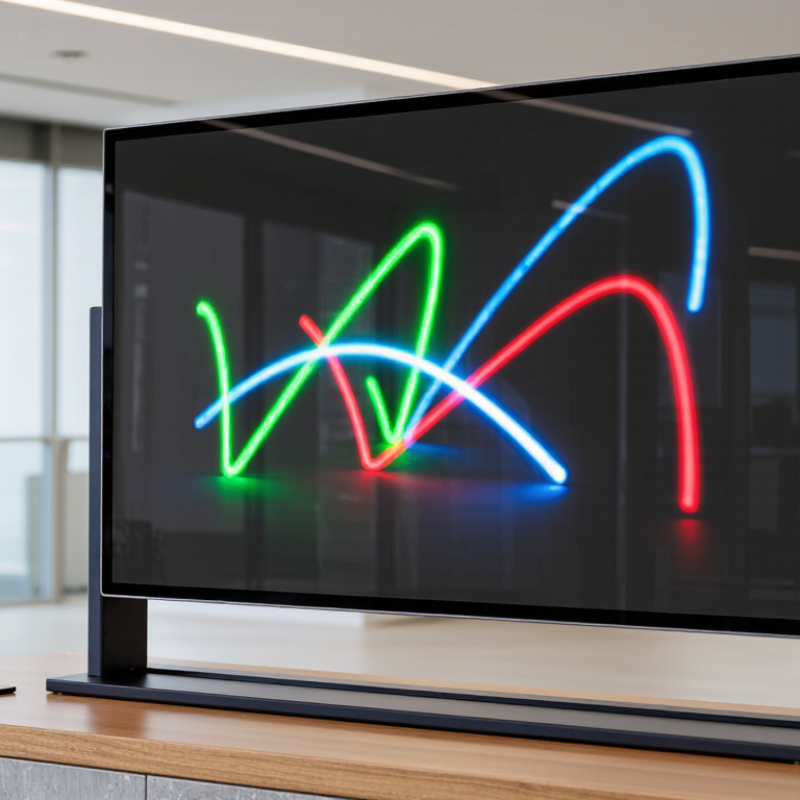
7 Tips for Choosing Digital Signage With LED Writing Board

Define the Purpose and Audience of the LED Writing Board

Choosing an LED writing board starts with purpose, not screen size. Decide whether it will guide visitors, display class notices, promote offers, or share emergency information. Each purpose needs different brightness, viewing distance, update speed, and content length. A board beside a busy entrance needs bold characters and quick messages. A classroom board can use slower transitions and more explanation.

Tip: Define one primary job. According to Grand View Research, the global digital signage market reached an estimated 27.3 billion dollars in 2023. MarketsandMarkets forecasts growth from 27.1 billion dollars in 2024 to 43.4 billion dollars by 2029. These figures show strong demand, but growth alone should not decide your purchase. A small facility may need reliability more than advanced features. That part is easy to overlook.

Define the audience with real observation. Watch who passes the board, when they look, and how far they stand. Commuters may see it for three seconds. Parents may stop for twenty. Older readers may require larger lettering and stronger contrast. Use plain language, local context, and familiar symbols.

Tip: Test two message versions with real viewers. Measure whether they understand the instruction, not whether they admire the screen. I would also review the plan after installation. My first audience assumption may be wrong. Data helps, but behavior in the actual hallway matters more.

Compare Display Size, Resolution, Brightness, and Viewing Distance

Choosing Digital Signage With LED Writing Board

Screen size should match the viewing distance, not personal preference. Tip 1: Measure the farthest viewer position. The World Out of Home Organization reported about $44.9 billion in global OOH revenue in 2023, showing how widely distant displays compete for attention. Tip 2: Choose a larger canvas for roads, plazas, and large halls. Tip 3: Keep smaller screens for queues, counters, and close viewing.

Resolution needs practical judgment. Tip 4: Check pixel pitch before counting pixels. A rough rule places a P10 display at about 10 meters for minimum viewing distance. Its comfortable distance may approach 25 meters. This is useful, not sacred. Text size, eyesight, and content design still matter. Tip 5: Test the smallest message from the actual audience position. A sharp screen can still fail with thin lettering.

Brightness must suit the environment. Tip 6: Compare measured brightness in nits, then test under direct sunlight, shade, and evening conditions. Excessive brightness can cause glare and wasted energy. The 2024 MarketsandMarkets digital signage report projected strong market growth through 2029, but growth does not remove installation mistakes. Tip 7: Use an ambient-light sensor or scheduled brightness control when possible. Indoor displays often need far less brightness than outdoor boards. I would not approve a purchase from a showroom test alone; reflections, heat, and viewing angles can change the result.

Digital Signage Specification Guide by Viewing Distance

These reference values represent common commercial digital signage configurations. As viewing distance increases, displays generally require a larger screen, higher brightness for ambient light, and stronger resolution to preserve image clarity.

Evaluate Content Management and Writing Features

Choosing digital signage with an LED writing board requires more than checking screen brightness. Content management and writing tools determine how quickly staff can respond to real situations. Look for browser-based editing, role-based permissions, scheduled playlists, version history, and remote monitoring. A manager should update one message without disturbing the entire display network. Test it live. Write a short announcement, schedule it, revise it, and restore the earlier version. The process should feel clear under pressure.

Writing features need equal attention. Check stylus accuracy, writing latency, palm rejection, erase controls, and text conversion. A useful board should support quick notes, arrows, prices, and diagrams from a few steps away. It should also save or export written content for later review. Wyzowl’s 2024 Video Marketing Statistics report found that 91% of businesses use video, showing how central visual content has become. However, frequent content does not guarantee useful communication. Poorly planned templates can still create crowded screens. Keep it simple.

AVIXA’s 2024 Industry Outlook and Trends Analysis projects continued growth across professional audiovisual systems, increasing the need for manageable installations. Yet, growth can hide operational weaknesses. Ask whether the system works during network interruptions, records user actions, and supports accessible text sizes. Trial the writing board with actual staff, not only technical specialists. Their hesitation may expose the real design problem. A beautiful interface is not enough.

Check Installation Options, Durability, and Maintenance Needs

7 Tips for Choosing Digital Signage With LED Writing Board

Check whether the display supports wall, ceiling, or freestanding installation. A wall unit needs strong anchors and a level surface. Freestanding models need a stable base, especially in busy corridors. Confirm power access before ordering. Hidden cables look cleaner and reduce trip risks. Leave service space behind the screen. Technicians need room to replace modules safely.

Review the enclosure’s durability for its actual environment. Outdoor signs should resist rain, dust, temperature changes, and direct sunlight. Ask for an appropriate ingress protection rating, not just a waterproof claim. Choose a brightness level that remains readable without causing glare. I once underestimated afternoon sunlight, and the writing became difficult to read. That mistake was avoidable.

Maintenance planning matters just as much as installation. Select a front-access design when the sign sits close to a wall. Check how easily staff can clean the LED surface and update written messages. Look for replaceable components, clear fault indicators, and accessible ventilation filters. Keep spare modules and approved cleaning materials nearby. Test the writing function before final mounting. Small failures become expensive delays. Also inspect mounting hardware after severe weather or nearby construction. A maintenance schedule may feel excessive, but neglected dust can increase heat and shorten service life. Recheck your assumptions. Local conditions often differ from the showroom.

Review Connectivity, Power Use, Warranty, and Total Cost

7 Tips for Choosing Digital Signage With LED Writing Board

Tip: Audit connectivity before comparing screen brightness. A reliable LED writing board should support current inputs, network control, remote monitoring, and simple content updates. AVIXA’s 2024 Industry Outlook valued the global professional audiovisual market at about $332 billion, showing how quickly systems are becoming integrated. Test Wi-Fi stability in the actual installation area. A perfect showroom connection can fail beside concrete walls or crowded routers.

Tip: Measure power use across a full year. Check watts in active, standby, and scheduled-off modes. ENERGY STAR’s display guidance emphasizes automatic brightness control and sleep settings because operating behavior affects lifetime consumption. Use this formula: annual cost equals watts multiplied by hours, electricity rate, and operating days. The estimate may look small. Several displays can change it sharply. I would also record brightness during evening use, since maximum output is often unnecessary.

Tip: Read the warranty line by line. Confirm coverage for LEDs, control cards, power supplies, labor, shipping, and outdoor installation. Then calculate total cost of ownership, not only purchase price. Include mounts, media players, cabling, software, electricity, maintenance, and replacement access. The U.S. Department of Energy reports that efficient LED technologies can use at least 75% less energy than traditional lighting, but a signage display is not automatically efficient. That comparison needs caution. A lower-cost board may become expensive when service visits require specialist labor. Test one unit for thirty days before approving a larger rollout.

FAQS

How should I choose the display size?

Match screen size to the farthest viewer, not personal preference. Use larger displays for roads, plazas, and large halls. Smaller screens suit counters and queues.

What viewing distance suits a P10 display?

A P10 display may need about 10 meters for minimum viewing distance. Comfortable viewing may extend toward 25 meters. Test the smallest message from the real audience position.

Does high resolution guarantee readable text?

No. Thin lettering can remain difficult to read. Use thicker characters, suitable text sizes, and clear spacing. Test before installation.

How bright should an outdoor display be?

Compare measured brightness in nits. Test it outside. Check direct sunlight, shade, and evening conditions. Excessive brightness can create glare and waste energy.

Can automatic brightness control help?

Yes. An ambient-light sensor can adjust output during changing conditions. Scheduled brightness also helps at night. Maximum brightness is often unnecessary then.

What installation details should I check?

Confirm wall, ceiling, or freestanding support. Use strong anchors and a stable base. Leave service space behind the screen. Hidden cables reduce trip risks.

How can I protect the display outdoors?

Check resistance to rain, dust, heat, cold, and sunlight. Ask for a suitable ingress protection rating. A simple waterproof claim is not enough.

What maintenance features matter most?

Front access helps when the screen sits near a wall. Check replaceable modules, fault indicators, ventilation filters, and easy message updates. Keep spare parts and approved cleaning materials nearby.

How should I estimate long-term cost?

Record active, standby, and scheduled-off wattage. Estimate annual cost using watts, hours, electricity rate, and operating days. Include mounts, cables, software, service visits, and replacement access.

What should I confirm before approving a large installation?

Test connectivity at the actual site, especially beside concrete walls or crowded routers. Review warranty coverage for parts, labor, shipping, and outdoor use. A thirty-day trial can expose problems I missed.

Conclusion

Choosing Digital Signage With Led Writing Board requires more than selecting an attractive screen. Start by defining its purpose and target audience, whether it will provide directions, promote products, share announcements, or support learning. Then compare display size, resolution, brightness, and viewing distance to ensure content remains clear in the intended environment. Consider how easily users can create, schedule, update, and write content, including whether the system supports remote management and interactive features.

Next, review installation options, durability, and maintenance requirements for the location. Check connectivity, power consumption, warranty coverage, and the total cost of ownership, including software, repairs, and future upgrades. It is also helpful to assess writing responsiveness, storage capacity, accessibility, and security controls before making a decision. By balancing functionality, reliability, ease of use, and long-term value, organizations can choose a digital signage solution that communicates effectively while remaining practical and cost-efficient.


Sienna

Sienna

Sienna is a skilled marketing professional with a deep expertise in our company’s core products and services. With a passion for innovation and detail, she plays a pivotal role in crafting insightful blog posts that not only highlight the unique features of our offerings but also provide valuable......