Choosing the right Remote Control Digital Signage system is more than comparing screen sizes and subscription prices. It is a decision about daily reliability, content control, security, and future maintenance. A bright display may look impressive in a showroom, yet perform poorly beside a sunlit entrance. A low-cost platform may also become expensive when updates require repeated technician visits.
This guide focuses on practical selection criteria used in real environments, including retail stores, offices, schools, hotels, and public facilities. Start with the network. Ask whether the system supports stable Wi-Fi, wired connections, offline playback, and automatic recovery after outages. Then examine the management platform. Can authorized staff schedule content, group screens, monitor device health, and approve changes from a remote dashboard? These details matter during a busy Monday morning.
Security deserves equal attention. Look for encrypted connections, role-based access, regular software updates, and clear data-handling policies. Confirm the supplier’s support hours and replacement process before signing a contract. Hardware specifications should match the location, not just the marketing brochure. Check brightness, viewing distance, operating temperature, warranty coverage, and energy use.
No checklist is perfect. Real conditions can expose weaknesses that product demonstrations hide. A short pilot test can reveal delayed updates, weak signals, or confusing controls. It is also worth asking who will manage the system after installation. The best choice is not always the most advanced one. It is the platform your team can operate confidently, maintain consistently, and trust when something goes wrong.
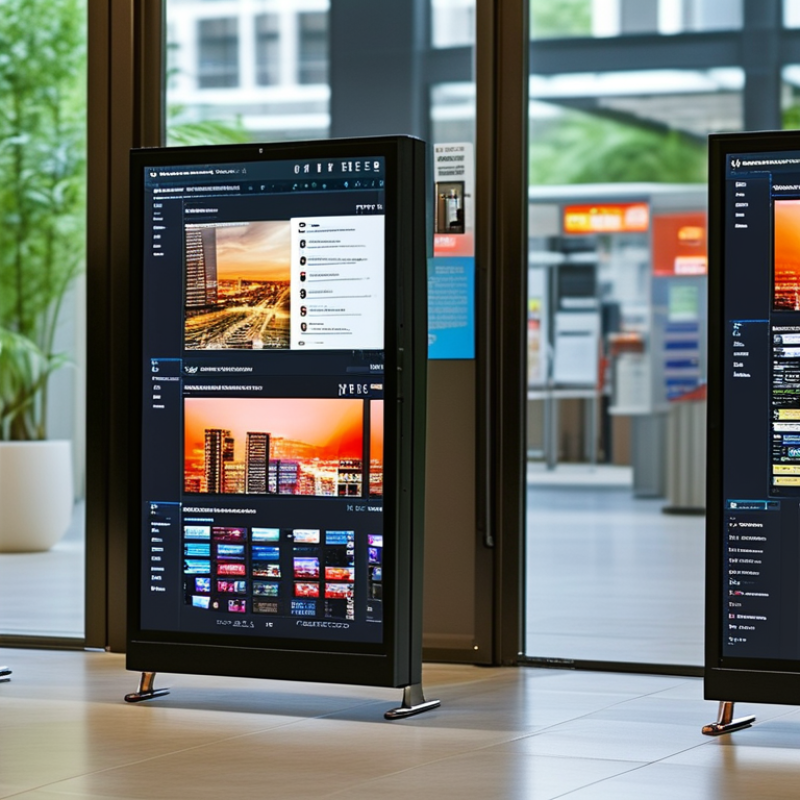
Define Remote Control Digital Signage and Its Main Functions
How to Choose Remote Control Digital Signage?
Remote control digital signage is a networked display system managed from a central dashboard. It lets authorized staff publish, schedule, update, and remove content without visiting each screen. Content may include announcements, menus, safety messages, directions, or live data. The display needs an internet connection, a media player, and software with clear user permissions.
The control layer is the real value. Operators can group screens by location, set playback times, check device status, and receive failure alerts. Many platforms also support templates, playlists, remote reboots, content approval, and performance reports.
Grand View Research valued the global digital signage market at approximately 27 billion dollars in 2023. That scale shows strong demand, but growth alone does not prove good deployment. A cheap dashboard can still create expensive confusion.
AVIXA’s 2024 Industry Outlook estimated the professional audiovisual industry would generate about 325 billion dollars globally in 2024.
This wider figure reflects the infrastructure surrounding modern displays. When choosing a system, test the workflow in a real setting: one operator, weak network conditions, and several screen groups. Can staff restore an old message quickly? Are access logs available? Is the alert meaningful? These details matter more than polished demonstrations.
I have found that scheduling errors remain common, especially across time zones. Remote control reduces travel, but it does not remove human oversight. That limitation deserves attention.
Identify Your Content, Display, and Remote Management Requirements
Choosing remote control digital signage starts with three practical questions: What content will viewers need, what display fits the location, and how much remote control is necessary?
Content comes first. A menu board needs fast updates and readable prices. A healthcare display needs calm layouts and carefully checked information. According to Wyzowl’s 2024 State of Video Marketing report, 91% of businesses use video, but video alone does not guarantee engagement. Consider screen distance, lighting, language, and viewing time. Grand View Research estimated the global digital signage market at approximately $27 billion in 2023, showing strong demand for scalable communication. Still, a larger network can create more mistakes if approval processes remain unclear. Define user roles, publishing permissions, scheduling rules, and emergency update procedures. Display requirements should include brightness, portrait or landscape orientation, operating temperature, resolution, and expected daily hours. Remote management should provide device health alerts, content previews, playback logs, and secure software updates. Test these functions before installation, not after a screen fails in public.
Tips: Build a small pilot with three locations. Schedule ordinary content and one urgent update. Check whether the change appears correctly, whether the screen recovers after disconnection, and whether staff can solve basic issues remotely. Keep a manual fallback. Remote control is valuable, but it is not magic. Review the dashboard weekly, remove outdated media, and document every permission change. Statistics support investment, yet local observation remains essential. A bright screen may look impressive in a showroom and perform poorly beside a window.
How to Choose Remote Control Digital Signage?
Identify your content, display, and remote management requirements before selecting a digital signage solution.
Content
Match image and video assets to the target resolution. Higher-resolution content requires more storage, bandwidth, and processing capacity.
Display
Use 1080p for standard information screens, 4K UHD for detailed visuals or close viewing, and 8K only when exceptional detail is necessary.
Remote Management
Confirm support for scheduled publishing, device monitoring, remote updates, user permissions, and offline playback before deployment.
Compare Hardware, Software, Connectivity, and Security Features
How to Choose Remote Control Digital Signage?
Remote signage starts with hardware that can survive daily neglect. Choose commercial displays with scheduled restarts, temperature monitoring, and locked ports. A small media player should support local playback when the network fails. Check resolution, brightness, storage, and remote diagnostics before comparing prices.
AVIXA’s 2024 Industry Outlook estimated global professional audiovisual revenue at about $325 billion, showing the scale of this operational market. Yet bigger is not always better. A bright screen can waste energy in a shaded lobby.
Software determines control quality. Look for centralized scheduling, permission levels, audit logs, and automatic updates. Test the workflow with ten screens, not one. Connectivity should include wired Ethernet, secure Wi-Fi, or managed cellular backup. Measure latency at the actual installation site.
Security needs unique accounts, multi-factor authentication, encrypted connections, signed firmware, and rapid device removal.
Verizon’s 2024 Data Breach Investigations Report found the human element involved in 68% of breaches.
That figure should encourage simpler controls, not merely stricter policies. Complex systems often create careless workarounds.
Tips: Ask vendors for a patch history and recovery demonstration. Disconnect one player during testing. Confirm whether content remains available offline. Review access logs monthly. I would also question vague claims such as “enterprise-grade security.” They sound reassuring, but they prove little without documented controls, penetration testing, and clear support responsibilities.
Evaluate Installation, Scalability, Maintenance, and Total Cost
Choosing Remote-Control Digital Signage
Remote control starts with installation, not software. Measure viewing distance, wall strength, power access, and network coverage before buying displays. A trial installation in one location can expose weak Wi-Fi, glare, or awkward cable paths. Keep it practical. Select screens with suitable brightness and commercial duty ratings. Document mounting positions, power sockets, and emergency access. Technicians should also test remote rebooting and offline playback before full deployment.
Scalability depends on consistent hardware and simple content controls. A central dashboard should support user permissions, scheduled updates, device grouping, and status alerts. New screens should be added without rebuilding the system. That sounds obvious, but mixed screen sizes often create extra templates and support work. Use standard layouts where possible. Check whether the system continues playing content during internet interruptions. Reliable local storage matters in busy stores, transport areas, and public facilities.
Maintenance affects the real cost more than the purchase price. Include installation labor, software subscriptions, network upgrades, energy use, replacement parts, and staff training. Ask how firmware updates are managed and whether logs help diagnose failures remotely. A dark screen may need a cable, not a new display. Keep spare players and documented procedures nearby. Total cost should cover three to five years, not only the first invoice. I have seen low-cost projects become expensive after rushed installation. Recheck assumptions before signing.
Select a Solution and Plan Its Deployment and Ongoing Management
How to Choose Remote Control Digital Signage?
Choosing remote control digital signage starts with the deployment plan, not the screen. Define where each display will operate, who will update it, and how quickly changes must appear. A reception screen may need simple announcements. A warehouse display may require schedules, alerts, and offline playback. List these conditions before comparing solutions. Otherwise, attractive features can hide practical limits.
During deployment, test the full workflow in one real location. Check network strength, viewing distance, mounting height, power access, and screen brightness. Assign clear roles for content creation, approval, publishing, and technical support. Use strong account controls and keep access records. Prepare fallback content for network interruptions. Small details matter. A five-minute delay can confuse visitors during a busy morning.
Ongoing management requires a repeatable routine. Schedule content reviews, remove outdated notices, and inspect devices remotely each week. Monitor storage, connection status, playback errors, and unusual login activity. Keep a documented recovery process for failed screens. Our first rollout relied too heavily on remote monitoring, and a loose power cable went unnoticed. Local checks still have value. Measure performance through update speed, uptime, audience feedback, and support requests. Revisit the plan when locations, staffing, or communication needs change.
FAQS
: It is a networked display system managed from a central dashboard. Authorized staff can publish, schedule, update, or remove content remotely. Each screen needs internet access, a media player, and management software.
Common examples include announcements, menus, directions, safety messages, and live data. Content should match the location and viewing time. A menu needs readable prices. A reception screen may need simple notices.
Look for screen grouping, scheduling, previews, playback logs, and failure alerts. Useful systems also support remote reboots, approval workflows, and secure updates. Clear user permissions are essential. A polished dashboard is not enough.
Check brightness, resolution, orientation, temperature range, and daily operating hours. Consider viewing distance and nearby lighting. A bright showroom screen may look poor beside a window. Test the actual location.
Define who creates, approves, and publishes content. Set scheduling rules and emergency update procedures. Keep access records for permission changes. Time-zone errors still happen.
Test three locations with different conditions. Schedule normal content and one urgent update. Disconnect a screen and check its recovery. Test weak network conditions. Small tests expose weaknesses.
The system should support offline playback and prepared fallback content. Staff should know how to restore older messages quickly. Keep a manual backup process. Remote control is not magic.
Review content and device status every week. Remove outdated notices and check storage, connections, and playback errors. Watch for unusual account activity. Local checks still matter.
Track update speed, screen uptime, audience feedback, and support requests. Record recovery times after failures. Review the plan when locations or staffing change. Remote monitoring can miss a loose power cable.
Conclusion
Choosing the right Remote Control Digital Signage solution begins with understanding its purpose and core functions. It enables organizations to manage digital screens from a central location, publish or update content remotely, schedule campaigns, monitor screen status, and maintain consistent communication across multiple sites. Before selecting a system, define your content types, display locations, audience needs, update frequency, and remote management expectations.
Next, compare the available hardware, software, connectivity, and security features to ensure they match your operational requirements. Consider installation methods, compatibility, ease of use, future scalability, technical support, maintenance needs, and total ownership cost rather than focusing only on the initial price. A well-planned deployment should include screen placement, network configuration, user permissions, content workflows, testing, and staff training. After launch, establish regular monitoring, software updates, security reviews, and performance evaluation procedures so the system remains reliable, efficient, and adaptable as your communication needs grow.

 Best Display