Choosing a commercial display is rarely as simple as comparing screen sizes. The 2026 Top 21.5 Inch Digital Signage Buying Guide examines the practical decisions behind a reliable installation. A 21.5 Inch Digital Signage screen can fit beside a reception desk, above a self-service counter, or inside a narrow retail shelf. Its compact footprint is useful. Its limitations matter too.
Florian Rotberg, Managing Director of invidis consulting, has emphasized, “Digital signage is a business, not a technology.” That principle should guide every purchase. A bright panel cannot fix weak content. A modern media player cannot compensate for poor ventilation or unstable network access. Buyers should assess viewing distance, operating hours, brightness, touch requirements, portrait mounting, and content-management compatibility. Look closely at warranty terms. Ask how replacement parts are handled.
Small details become expensive later.
This guide considers image quality, commercial durability, energy use, connectivity, security, and total ownership cost. It also compares features that appear impressive on a product sheet but may offer little value in real environments. A 21.5 Inch Digital Signage display used near a window may need stronger brightness than one installed in a quiet hallway. A touchscreen in a busy public area may require easier cleaning and more careful accessibility planning. These choices are not universal. Even experienced buyers can misjudge them. Testing one unit at the intended location remains wiser than trusting specifications alone. The goal is not to select the most advanced display. It is to choose a dependable screen that serves people, content, and operational realities.
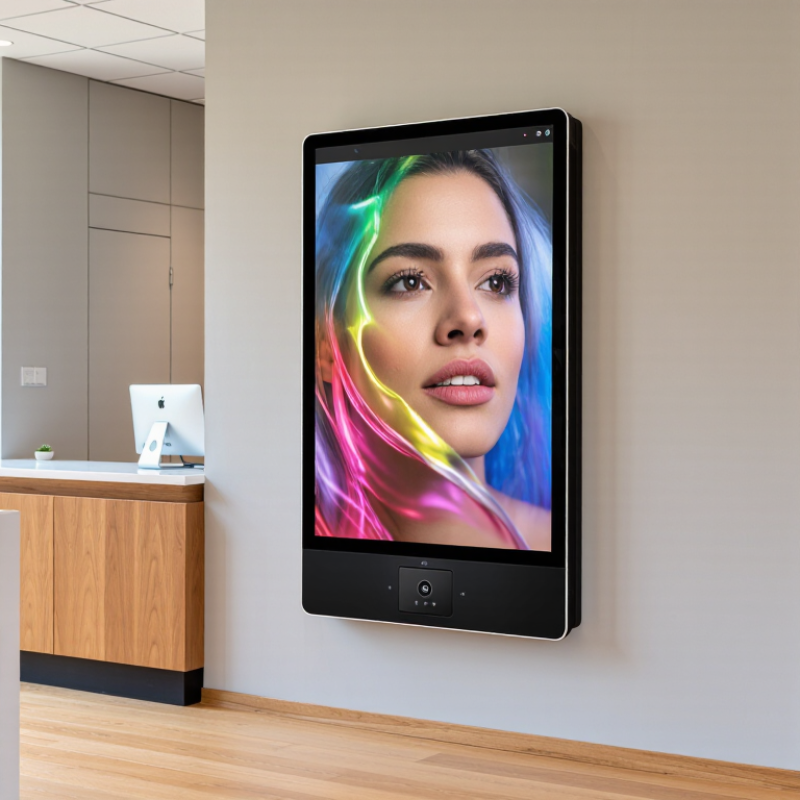
A 21.5-inch digital signage screen uses a 16:9 panel, measuring approximately 18.7 by 10.5 inches. At 1920×1080 resolution, it delivers about 102 pixels per inch. Its pixel pitch is roughly 0.25 millimeters. That density keeps menu prices, QR codes, and short promotional copy visibly sharp at close indoor distances.
The geometry also exposes a practical limit. A 21.5-inch panel is compact, not miniature. Field evaluations show that crowded layouts become difficult when viewers stand beyond two meters. Use large numerals, strong contrast, and short lines. The Society for Information Display identifies viewing distance, luminance, and ambient reflection as core readability factors in public displays. A bright panel alone cannot repair poor spacing.
Market evidence supports careful sizing. Grand View Research reported continued growth in digital signage, driven by retail, transport, and hospitality deployments. MarketsandMarkets has projected double-digit annual growth for the sector through 2028. Those forecasts indicate demand, but they do not guarantee a good installation. I would still test the actual content under ceiling lights and side glare. This step is often skipped. It should not be.
At 102 PPI, fine text can look impressive during a desk review, yet fail in a busy corridor. A useful pilot should measure recognition time, reflection, touch accuracy, and cleaning frequency. The exact result may differ from the specification sheet. That is the uncomfortable part.
The active area is about 18.7 by 10.5 inches. At 1920×1080 resolution, it provides roughly 102 pixels per inch.
It works well at reception desks, café counters, corridors, and retail aisles. Beyond two meters, crowded layouts may become difficult to read.
Use large numbers, short lines, strong contrast, and generous spacing. Menu prices and QR codes can remain sharp at close indoor distances. Small text still needs testing.
Choose about 250–500 cd/m² for controlled indoor lighting. This range usually suits reception areas, corridors, cafés, and aisles.
Use at least 700 cd/m² when daylight hits the panel directly. Around 800–1,000 cd/m² may perform better near bright, south-facing glass.
Not always. Excessive brightness can cause eye strain, reflections, and higher energy use. Anti-glare glass helps, but it may slightly soften contrast.
Check the screen at 9 a.m., noon, and late afternoon. Test under ceiling lights and side glare. A warehouse test may mislead you.
Confirm the mounting pattern, screw size, screen weight, and rear clearance. Leave space around ports and vents. Measure twice.
Request current electrical, thermal, mechanical, and regional conformity documents. Match every document to the exact model and power adapter.
Test contrast, focus order, captions, keyboard access, timing, and touch-target size. Avoid flashing content and tiny controls. Labels alone are not enough.
Choosing the right 21.5 Inch Digital Signage in 2026 requires more than comparing screen size and price. A 16:9 display typically measures about 18.7 × 10.5 inches, while a 1080p panel delivers approximately 102 PPI for clear, readable content. Indoor installations generally need 250–500 cd/m² brightness, but screens placed near windows may require 700 cd/m² or higher to maintain visibility. Buyers should also confirm IEC 62368-1 safety certification, VESA MIS-D mounting support, FCC and CE conformity, and accessibility features aligned with WCAG 2.2.
For long-term value, evaluate the complete system rather than hardware alone. Compare Android processing performance, CMS compatibility and API access, Wi-Fi 6, Ethernet, HDMI, and USB connectivity. The strongest 2026 options balance three-year total cost of ownership, reliable 24/7 operation, efficient power use, responsive service, and a dependable warranty. A structured comparison based on these factors helps organizations select a durable, secure, and practical digital signage solution for continuous indoor communication.

 Best Display